Pen Displays for Classrooms
A pen display for education puts the image under the pen: the teacher or student writes directly on the screen, and the ink appears exactly where the pen tip touches. Huion’s education pen displays — the Kamvas 13, the Kamvas 16 (2021), and the 21.5-inch Kamvas 22 Plus — all use the PW517 battery-free pen with PenTech 3.0, 8192 levels of pressure sensitivity, and fully laminated or anti-glare screens built for long writing sessions. Every specification on this page is taken from the official B2B education product pages.
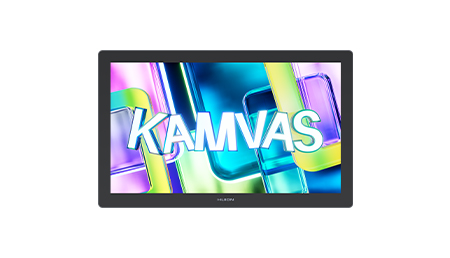
Why Teachers Prefer Writing Directly on the Screen
No hand-eye split: the pen writes where the ink appears.
A pen tablet asks the writer to coordinate hand and eye separately — pen on the pad, eyes on the monitor. A pen display removes that split: the screen is the writing surface. For teachers annotating dense slides, that means underlines land exactly on the word they meant; for students in design, media, or science classes, diagrams and sketches go down precisely where intended. Full lamination — the glass bonded directly to the display panel with no air gap — minimizes parallax so the cursor sits right under the pen tip, which is why all three education pen displays specify full lamination or anti-glare etched glass.
The shared pen technology keeps training simple across the line: every model here uses the PW517 battery-free pen with PenTech 3.0, which the official pages credit with more accurate positioning, more stable writing, and a more natural drawing experience than earlier pen generations. A school that standardizes on the PW517 needs one pen habit, one driver install routine, and one spare-pen SKU across Kamvas 13, Kamvas 16 (2021), and Kamvas 22 Plus deployments — and the same battery-free EMR pens that equip the pen tablets for schools.
Pen displays sit between tablets and the big screen: pen tablets for the lectern on a budget, pen displays for direct-on-screen writing at the teacher desk or student workstation, and the interactive display for education for the front of the room. Students capturing handwritten notes at their own desks belong on digital notepad tablets; the education overview maps all four families.
Kamvas 13 — Pen Display
The classroom standard: PenTech 3.0, 120% sRGB, full lamination.
The Kamvas 13 is the education line’s core pen display. The PW517 pen with PenTech 3.0 delivers 8192 levels of pressure sensitivity at a 266PPS report rate — instant response without lagging — on a 1920 x 1080 display with a 120% sRGB color gamut for vibrant color and fine color details. Full lamination keeps the pen tip and cursor aligned, the 293.76 x 165.24mm workspace fills a 366.5 x 217.4 x 11.8mm, 980g body, and eight programmable press keys boost work efficiency for teaching shortcuts. The official page highlights mobile phone connection — turning a phone into a mobile workstation and learning platform — alongside compatibility with Windows, macOS, and mainstream drawing and teaching software. Pen resolution is 5080 LPI, viewing angle 89°/89°(H)/89°/89°(V) typical, and the display shows 16.7M (8bit) colors.
| Item | Specification |
|---|---|
| Model | Kamvas 13 |
| Digital Pen | PW517 (PenTech 3.0) |
| Pressure Sensitivity | 8192 Levels |
| Report Rate | 266PPS |
| Resolution | 1920 x 1080 (16:9) |
| Color Gamut | 120% sRGB |
| Display Color | 16.7M (8bit) |
| Full Lamination | Yes |
| Pen Resolution | 5080 LPI |
| Viewing Angle | 89°/89°(H)/89°/89°(V) (Typ.)(CR>10) |
| Workspace | 293.76 x 165.24mm |
| Dimension | 366.5 x 217.4 x 11.8mm |
| Net Weight | 980g |
| Press Keys | 8 Programmable Press Keys |
| Interface | USB-A |
| OS Support | Windows / Android / Linux (plus macOS per product highlights) |
| Color | Cosmo Black, Midnight Green, Violet Purple |
Kamvas 16 (2021) — Pen Display
A larger canvas with an anti-glare screen and ten press keys.
The Kamvas 16 (2021) scales the same PenTech 3.0 formula to a 344.16 x 193.59mm workspace in a 423.52 x 253 x 12mm, 1.26kg body. The 1920 x 1080 display keeps the 120% sRGB color gamut for vivid color presentation, and the anti-glare screen effectively prevents glare interference for comfortable use under classroom lighting — a practical detail when the display sits near windows. The PW517 pen delivers 8192 pressure levels at 266PPS with tilt recognition for more drawing techniques, and ten customizable press keys facilitate classroom workflows. Full lamination is specified, OS support covers Windows, macOS, Android, and Linux, and the pen resolution is 5080 LPI. Available colors are Twilight Blue and Cosmo Black.
| Item | Specification |
|---|---|
| Model | Kamvas 16 (2021) |
| Digital Pen | PW517 (PenTech 3.0) |
| Pressure Sensitivity | 8192 Levels |
| Report Rate | 266PPS |
| Resolution | 1920 x 1080 (16:9) |
| Color Gamut | 120% sRGB |
| Display Color | 16.7M (8bit) |
| Full Lamination | Yes |
| Screen | Anti-glare screen |
| Tilt Recognition | Supported |
| Pen Resolution | 5080 LPI |
| Viewing Angle | 89°/89°(H)/89°/89°(V) (Typ.)(CR>10) |
| Workspace | 344.16 x 193.59mm |
| Dimension | 423.52 x 253 x 12mm |
| Net Weight | 1.26kg |
| Press Keys | 10 Programmable Press Keys |
| Interface | USB-A |
| OS Support | Windows / macOS / Android / Linux |
| Color | Twilight Blue, Cosmo Black |
Kamvas 22 Plus — Large Pen Display
A 21.5-inch quantum-dot display for shared teacher stations.
The Kamvas 22 Plus is the large-format education pen display: a 21.5-inch 1920 x 1080 IPS display with a 140% sRGB (quantum dots) wide color gamut for purer, richer color, fully laminated anti-glare etched glass that effectively reduces glare interference. The PW517 pen with PenTech 3.0 provides stable, natural writing at 8192 pressure levels with a report rate above 266PPS, and tilt recognition enables diverse drawing effects. The workspace is 476.64 x 268.11mm inside a 546 x 323 x 19~26.7mm, 1kg body in dark grey — light enough at 1kg to move between a teacher’s desk and a shared workstation. OS support covers Windows, macOS, and Android; the display shows 16.7M (8bit) colors at 5080 LPI pen resolution with an 89°/89°(H)/89°/89°(V) typical viewing angle. Where the Kamvas 13 suits individual teacher desks, the 22 Plus suits demonstration stations, media labs, and science prep rooms where the screen is shared.
| Item | Specification |
|---|---|
| Model | Kamvas 22 Plus |
| Display Size | 21.5 inch |
| Resolution | 1920 x 1080 (16:9) |
| LCD Type | IPS |
| Color Gamut | 140% sRGB (Quantum Dots) |
| Display Color | 16.7M (8bit) |
| Full Lamination | Yes (anti-glare etched glass) |
| Digital Pen | PW517 (PenTech 3.0) |
| Pressure Sensitivity | 8192 Levels |
| Report Rate | >266PPS |
| Tilt Recognition | Supported |
| Pen Resolution | 5080 LPI |
| Viewing Angle | 89°/89°(H)/89°/89°(V) (Typ.)(CR>10) |
| Workspace | 476.64 x 268.11mm |
| Dimension | 546 x 323 x 19~26.7mm |
| Net Weight | 1kg |
| OS Support | Windows / macOS / Android |
| Color | Dark Grey |
Choosing Between the Three Displays
Match the display to the desk.
All three share the PW517 PenTech 3.0 pen, 8192 pressure levels, and battery-free operation — standardize on one and your spares, training, and drivers cover the whole fleet. For budget lectern deployments compare the pen tablets for schools; for student handwriting at the desk see digital notepad tablets; the education overview ties the lineup together.
Pen Display FAQ
What is the practical difference between the Kamvas 13 and the Kamvas 16 (2021)?
Both use the PW517 PenTech 3.0 pen at 8192 levels and 266PPS with 120% sRGB and full lamination. The 16 (2021) gives a larger workspace (344.16 x 193.59mm vs. 293.76 x 165.24mm), an anti-glare screen, tilt recognition, and ten press keys instead of eight — choose it for brighter rooms and shortcut-heavy teaching.
Does the pen need charging?
No. The PW517 is a battery-free EMR pen: it draws energy from the display surface, so there is nothing to charge between classes and no batteries in the consumables budget.
Can the displays connect to a teacher’s phone?
The Kamvas 13 officially supports mobile phone connection, described as turning the phone into a mobile workstation and learning platform. Confirm cable and compatibility details for your phone models with the education team before ordering.
Which display suits a shared demonstration station?
The Kamvas 22 Plus: its 21.5-inch 140% sRGB quantum-dot panel and fully laminated anti-glare etched glass are built for shared viewing, and at 1kg it can move between a desk and a demo station.
How do we get education pricing?
Write to [email protected] with the models, quantities, and delivery region. Pricing, lead time, and delivery terms are confirmed per order before payment; certificates are available upon request.