Drawing Tablets for Education
Huion brings battery-free electromagnetic (EMR) pen technology to schools, districts, training centers, and online tutoring teams. From paper-feel digital notebooks to pen tablets, pen displays, and interactive displays for education, the lineup covers every writing surface a modern classroom needs. The company profile states that Huion first commercialized its handwriting-recognition technology for paperless offices in finance, healthcare, and communications, and then expanded into the education market — education equipment is therefore built on the same EMR input stack that has served enterprise customers for years, not on a separate consumer toy line.
Why Schools Choose a Drawing Tablet for Education
A drawing tablet for education is not about art — it is about writing. Teachers annotate slides, solve equations live, and mark up student work; students take notes, sketch diagrams, and complete worksheets by hand. A battery-free EMR pen reproduces that handwriting instantly on the connected computer, with pressure sensitivity that keeps strokes natural instead of flat and digital-looking.
Every education model in the Huion lineup shares the same electromagnetic resonance core: the digital pen needs no battery and no charging, so a classroom set never has to be collected for recharging, and there are no ink or paper consumables to budget for. Pens such as the PW100, PW310, PW320, and the PW517 (PenTech 3.0) draw their energy from the tablet or display surface itself, which is why battery-free operation appears as a headline feature across pen tablets, pen displays, and the Huion Note digital notebook series alike.
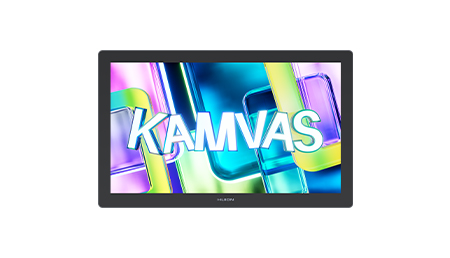
Compatibility matters as much as the hardware. Education models support Windows, macOS, and Android, and several add ChromeOS, Linux, or iOS, so they slot into existing school device estates — desktop labs, teacher laptops, and even phone-connected teaching setups. The Kamvas 13, for example, officially supports mobile phone connection, which the company describes as turning a phone into a mobile workstation and learning platform: a practical answer for teachers who record or stream lessons from a single device.
This hub page introduces the full education lineup. For detailed specifications and buying guidance, see the dedicated pages: digital notepad tablets for paper-based classrooms, pen tablets for schools for teacher workstations and computer labs, pen displays for classrooms for direct-on-screen writing, and interactive displays for education for large-screen front-of-class teaching with EMR pen interaction.
The Education Lineup at a Glance
One line per model family — each card links to the detailed education page.
Q630M — Bluetooth Pen Tablet
A pen tablet with Bluetooth 5.0 wireless connection, dual dial controllers and six programmable press keys; officially >300PPS report rate with 8192 levels of pressure sensitivity.
Huion A4 — Digital Notebook
A battery-free EMR digital notebook using the PW310 pen with 2048 levels of pressure sensitivity, space for up to 50 sheets of paper, and 16MB of offline storage for up to 16 pages of notes.
Huion A5H — Digital Notebook
A compact digital notebook with 8192 levels of pressure sensitivity, USB-C connection, optional PW202 or PW310 pens, and the same 50-sheet, 16MB offline-note capacity.
Huion Note X10 — Smart Notebook
A smart notebook with the PW320 pen, 8192 levels of pressure sensitivity, tilt recognition, about 18 hours of battery life, and Bluetooth 5.0 sync to Windows, macOS, Android, iOS, and Linux.
Kamvas Hub — Interactive Display for Education
A large-format interactive display for education offered in two versions: EMR pen input and infrared touch with capable 20-point touch, plus floor stand installation — full specifications confirmed through inquiry.
H640P — Compact Pen Tablet
A compact 8mm-thin pen tablet with the PW100 pen, 8192 levels of pressure sensitivity, 233PPS report rate, and six programmable press keys; supports Android devices as well as Windows and macOS.
HS610 — Pen Tablet with Touch Ring
A pen tablet with 8192 levels of pressure sensitivity, 266PPS report rate, ±60° tilt support, a touch ring, and 12 programmable press keys plus 16 programmable soft keys for teaching software shortcuts.
Kamvas 13 — Pen Display
A pen display with the PW517 pen (PenTech 3.0), 8192 levels of pressure sensitivity, 266PPS report rate, 120% sRGB color gamut, full lamination, and eight programmable press keys.
Kamvas 16 (2021) — Pen Display
A pen display with the PW517 pen (PenTech 3.0), 120% sRGB color gamut, an anti-glare screen, tilt recognition, and ten customizable press keys for classroom workflows.
Kamvas 22 Plus — Large Pen Display
A 21.5-inch pen display with 140% sRGB (quantum dots) color gamut, 8192 levels of pressure sensitivity, fully laminated anti-glare etched glass, and the PW517 pen with PenTech 3.0.
The education channel also lists the Kamvas Pro 13 2.5K and Kamvas Pro 16 2.5K. Full specifications for these two models are confirmed through the education sales team on inquiry — write to [email protected] with the model name and your required quantity.
From Handwriting Recognition to the Classroom
The company profile states the history behind the education line.
Huion — Shenzhen Huion Trend Technology Co., Ltd. — describes itself as an innovator, designer, and manufacturer of digital ink devices and solutions, covering pen tablets, pen displays, pen computers, and accessories, plus enterprise-grade digital handwriting input solutions for e-signing, education, and customizable EMR modules. The company profile states that the brand was founded under the name Shenzhen Huion Animation Technology Co., Ltd. and “began to provide professional OEM and ODM solutions to apply EMR technology in different industries.”
The education connection comes directly from that history: the company profile states that it commercialized handwriting recognition from its in-house chip research (the HV400 and later the fourth-generation HV800, developed with its own IP) for paperless offices in finance, healthcare, and communications — and then expanded into the education market. In other words, the same EMR pipeline that had to survive banking counters and hospital forms was adapted for classrooms, where the demands are longer writing sessions, rougher handling, and far more devices per site.
The company profile also states that Huion is certified as a National High-tech Enterprise; certificate numbers are not published, and certificates are available upon request for procurement files. The company lists branches in the United States, India, Australia, Korea, Spain, and Singapore, which matters to education buyers planning multi-campus or multi-country rollouts: the same product families are supported in the regions where its offices operate.
How Schools Typically Deploy These Models
A practical starting point for procurement teams.
Teacher workstations and lecture recording usually start with pen tablets: the H640P fits beside a laptop on a lectern, the HS610 adds a touch ring and more shortcut keys for heavy annotation users, and the Q630M adds Bluetooth 5.0 and dual dials for teachers who move between rooms. Where teachers prefer writing directly on the image, pen displays such as the Kamvas 13, Kamvas 16 (2021), and the 21.5-inch Kamvas 22 Plus put the pen exactly where the ink appears.
Student-side equipment splits two ways. Digital notebooks (A4, A5H, Huion Note X10) keep the feel of paper while digitizing notes for submission and archiving — a fit for one-to-one programs and exam-style handwriting practice. For the front of the room, interactive displays for education with EMR pen input or 20-point infrared touch, installed on a floor stand, give the teacher a shared writing surface the whole class can see.
Before payment, confirm the exact model, configuration, quantity pricing, lead time, and delivery terms with the education team — education pricing and availability vary by region and order volume, and every specification on the subpages is taken from the official B2B product pages so your procurement file cites a checkable source.
Education FAQ
Do the pens need batteries or charging?
No. The digital pens across the education lineup use battery-free electromagnetic resonance: the pen draws energy from the writing surface, so there is nothing to charge between classes and no batteries to replace across a school-wide fleet.
Which operating systems are supported?
Support varies by model but always includes Windows and macOS; most models add Android, and several add ChromeOS, Linux, or iOS. Check the specification table on each model page for the exact list before you standardize on a platform.
What is the difference between the pen tablets and the pen displays?
Pen tablets (H640P, HS610, Q630M) are input surfaces used next to a monitor — the pen writes on the tablet while the image appears on screen. Pen displays (Kamvas 13, Kamvas 16 (2021), Kamvas 22 Plus) show the image on their own screen, so the pen writes directly where the ink appears. See pen tablets for schools and pen displays for classrooms.
Are these models suitable for online teaching?
Yes. The education models work with mainstream drawing and teaching software on Windows and macOS, and several support phone or mobile connection for teachers who stream lessons. The battery-free pen is specifically suited to long recording sessions since it cannot run out of charge mid-class.
Can we get education or volume pricing?
Yes — pricing is handled through the education channel. Write to [email protected] with the models, quantities, and delivery region, and the team will confirm pricing and lead time per order before payment.
Are product certifications available for procurement?
Certificates are available upon request. Include the certificates your institution requires in your inquiry email so the education team can attach the correct documents to the quotation.